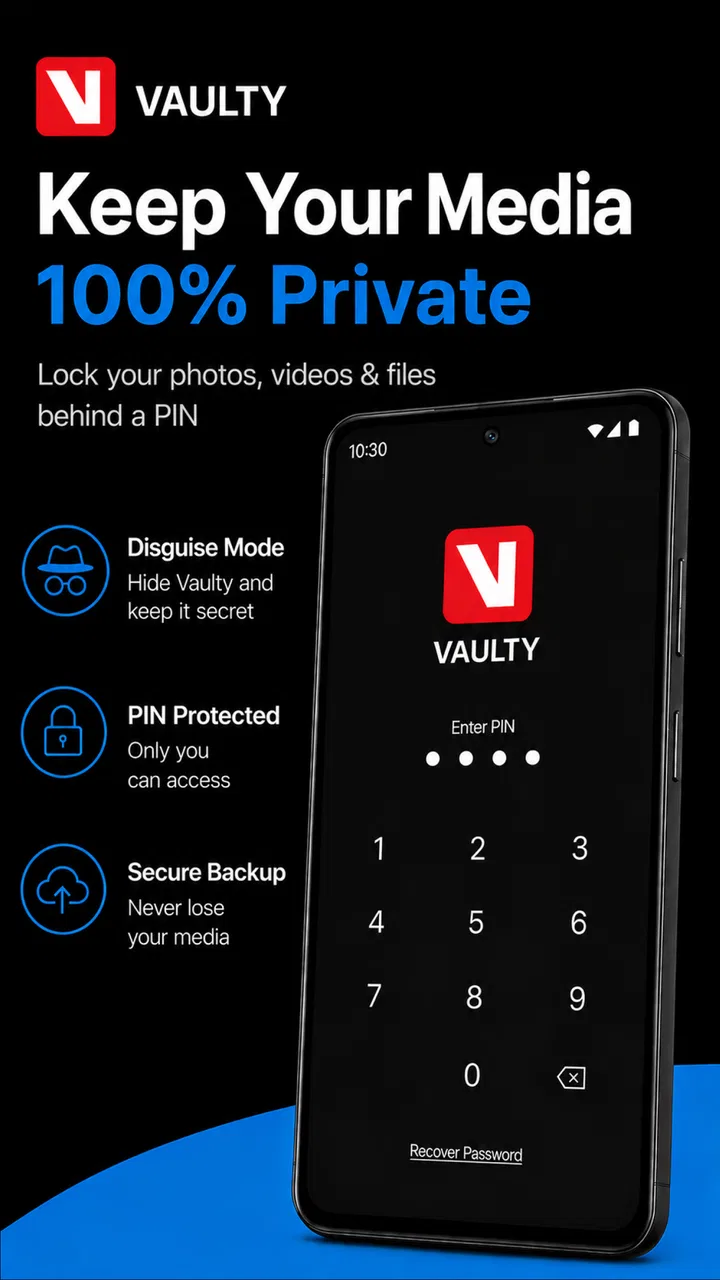
Vaulty : Photo Vault & Hide
- 4.5
- Rating
- 10.00M
- Installs
- Free
- Price

 Analysis by App-foxy
My first impression of Vaulty: Photo Vault & Hide was that it solves a very specific problem well: keeping selected photos and videos away from the normal gallery view. That sounds simple, but it matters in homes where one phone is regularly passed around. A child may want to watch a video, a partner may borrow the device to take a picture, or a friend may ask to see something in the gallery. In those moments, a private vault is less awkward than constantly sorting through personal media before handing over the phone.
Vaulty is a free photography app from Squid Tooth LLC, and its main job is to move chosen images and videos into a separate private area. I found the idea more useful for everyday boundaries than for dramatic secrecy. It is a practical place for personal documents, surprise gifts, private memories, or media that I simply do not want appearing beside ordinary camera shots.
The app has been around since Jul 16, 2010, which gives it a more established feel than a brand-new vault tool. Its current version is 26.08.27, and it runs on Android 7.0 or later. With a 4.5 average from around 410 thousand ratings and over 10 million installs, it is clearly familiar to a large Android audience. Those figures do not replace personal testing, but they do suggest that the basic concept has proved useful to many people.
You May Also Like

 Blood Strike: 2.5 Anniversary
Blood Strike’s Loadouts Turn Every Drop Into a Tactical Gamble
A close look at Blood Strike’s custom loadouts: how fast access to signature weapons reshapes its battle royale rhythm, rewards preparation, and narrows the gap between fights.

 Pandora - Music & Podcasts
Pandora’s Music Is Easy to Start, but Harder to Recover
Pandora’s strength is its low-effort path from a seed to a station. Its weak spot is how much confidence it asks you to place in connection, setup, and quiet recovery.

 8 Ball Pool
 Is Built on Rivalries, Rematches, and Routine
A close look at the rivalries, rematches, shared routines, and unanswered safety questions that turn a quick pool match into a persistent mobile community.

 Samsung Music
’s Quiet Strength Is Playing What You Already Own
Its reach comes less from spectacle than from dependable access to a personal library. That simplicity is both the app’s strongest retention engine and its ceiling.

 AccuWeather: Weather Radar
AccuWeather Review: A Quick, Clear Forecast for Everyday Decisions
For everyday plans, the best forecast is the one you can understand quickly. AccuWeather makes rain timing, radar, and local conditions easy to act on, with a few trade-offs.

 Hill Climb Racing
Why Hill Climb Racing Still Turns Crashes Into One More Run
A tiny car, a bumpy hill and one more upgrade: Hill Climb Racing keeps resurfacing because its simple chaos makes every near-miss feel personal.
More From Our News Desk



How Vaulty fits into a shared household
A realistic example is a family tablet or phone that moves between people during the day. I might have receipts, scans, personal photos, or a birthday surprise in the same gallery used by everyone else. Without a separate vault, I either leave everything exposed in the camera roll or spend time deleting and restoring files. Vaulty gives me a dedicated place to put the items that should not appear during casual browsing.
The useful distinction is between shared-device convenience and complete personal security. I would use the app to create a boundary around selected media, not as an excuse to treat a shared phone as a private account. If several people use the same device, everyone should understand who owns the phone, who may access it, and what happens if the app needs to be opened. A vault can reduce accidental exposure, but it does not solve disagreements about ownership or consent.
For a parent, this can be handy when a child uses the phone for games or videos. The normal gallery can remain focused on harmless, shareable media while adult personal items stay elsewhere. I would still avoid putting age-inappropriate material on a device that children use, even if it is hidden. Hiding a file is not the same as making it suitable for a child, and the app’s Everyone content rating describes the application, not every file a user might store inside it.
The same applies to partners and roommates. Vaulty can prevent an embarrassing thumbnail from appearing when someone opens the gallery, but it should not become a substitute for a conversation about privacy. In my view, the best use is quiet organization: private media stays private by default, while anything meant for the household remains in the ordinary gallery.
Starting with sensible boundaries
Setup is easiest when I decide what belongs in the vault before importing anything. I would begin with a small, clearly defined group rather than moving the entire gallery at once. Personal scans, confidential work images, travel documents, and surprise-party photos are obvious candidates. Family photos that everyone is expected to see usually belong in the regular gallery, where they are easier to share and back up.
This small-start approach also makes mistakes easier to spot. After moving files, I would check the vault itself and then look at the ordinary gallery to make sure the visible copies are handled as expected. I would also open a few stored videos, because a vault is only useful if the media remains practical to view when needed. Keeping the first batch limited helps me learn the app’s workflow without creating a large cleanup job.
I would not treat Vaulty as the only copy of anything important. A hidden photo is still a photo that can be lost if the phone fails, is replaced, or is reset. For irreplaceable memories and documents, I would maintain a separate backup strategy that I understand and trust. This is one of the most important trade-offs: privacy tools can reduce visibility, but they can also make files easier to forget.
That is why I recommend a simple personal inventory. Every few months, I would review what is inside, remove media that no longer needs special handling, and make sure important files exist somewhere else. The vault should be a controlled workspace, not a permanent attic where everything disappears from attention.
Coordinating access on one phone
Shared devices create a practical question: when should another person be allowed to use the phone, and when should the owner take over? Vaulty helps with the media boundary, but it does not remove the need for a household routine. I would keep the phone’s general gallery available for common photos and use the vault only for the minority of files that need privacy.
For example, if I am showing a child pictures from a weekend trip, I can stay in the normal gallery instead of opening the private area and then trying to navigate back quickly. If my partner needs the phone camera, I can hand it over without exposing every personal image in the gallery. The key is to choose the right starting point before passing over the device.
Another useful habit is to avoid moving shared files into the vault simply because one person dislikes seeing them. If a photo belongs to the household, hiding it may create confusion later. I would use the app for personal boundaries, not as a hidden filing cabinet for family disagreements. That distinction keeps the tool from becoming a source of mistrust.
There is also a coordination cost when more than one adult needs access. A private vault works best when one person manages it consistently. If several people need the same files, ordinary shared albums, device profiles, or a clearly named shared folder may be better. Vaulty is strongest when the goal is individual privacy on a device that is sometimes shared, not collaborative media management.
Privacy, trust, and age context
I like that the app’s purpose is easy to understand, but I would explain its role carefully to older children and teenagers. A private space can be healthy for personal autonomy, yet parents may have legitimate safety responsibilities. Vaulty cannot decide whether a particular situation is safe, and it should not be used to avoid necessary conversations about online contact, intimate images, harassment, or risky behavior.
For younger children, I would generally keep the app under adult supervision rather than presenting it as a secret area. The Everyone rating makes the app broadly suitable as software, but the content placed inside it is still the owner’s responsibility. On a family phone, clear rules are more reliable than assuming that a hidden gallery will prevent every kind of access.
Trust matters between adults too. If I use a vault on a shared phone, I would tell the other regular users that private media is stored separately without demanding that they inspect it. That is a reasonable boundary. At the same time, I would not promise that the app makes a device invisible to every form of inspection. People should understand the difference between hiding items from casual gallery browsing and protecting an entire device from someone with deeper access.
That nuance is where Vaulty feels most useful to me. It reduces accidental discovery and makes a phone more comfortable to lend, but it is not a complete privacy plan. Anyone choosing it should still think about device access, backups, account ownership, and what happens when the phone is repaired, replaced, or shared with someone new.
What makes it practical beyond the store summary
The first non-obvious strength is selective privacy. I do not have to treat every image as sensitive. Keeping only a focused set in the vault preserves the convenience of the normal gallery while protecting the files that genuinely need separation. This is much less frustrating than using a second phone or constantly exporting images to a computer.
The second is the value of using it before a handoff, not after an awkward discovery. If I know a friend or child will browse photos, I can prepare the phone in advance by moving personal items out of the visible gallery. That turns privacy into a routine workflow rather than a panicked reaction when a thumbnail appears.
The third is the importance of testing retrieval before relying on the app. I would not wait until I need an old document or an important video to learn how the vault handles viewing and restoring. A quick test with nonessential media tells me whether the organization suits my habits and prevents the common mistake of hiding files that I later cannot locate quickly.
A fourth insight is that a vault can improve gallery quality, not just concealment. When screenshots, temporary downloads, private scans, and surprise images are separated, the ordinary gallery becomes easier to browse and share. That is a small benefit, but on a busy phone it can save time every day.
There are limits. Any extra step between taking a photo and finding it later can become annoying. If I frequently share the same files with other people, moving them in and out of a vault adds friction. The app is also not the best answer for a household that needs multiple people to collaborate on one media collection. In that situation, a shared album or separate user account may be more convenient.
Cost, updates, and everyday expectations
Vaulty is free to install, which makes it easy to try without committing money first. It includes in-app purchases ranging from $0.99 to $99.99 per item, so I would check the purchase screen carefully before assuming every option is included at no cost. For a basic trial, the free entry point is appealing, but anyone considering paid functions should decide whether those additions solve a real problem in their household.
The app is rated for Everyone, and its photography category is a good fit for the focused job it performs. I would not install it expecting a full photo editor, a social album, or a replacement for a robust backup service. Its value comes from separating selected media from the ordinary gallery, and the more closely my needs match that task, the more worthwhile it feels.
Because the app has a long history and continues at version 26.08.27, I would still keep my expectations practical rather than assuming age alone guarantees perfect compatibility with every phone. After installing it, I would test importing, viewing, and restoring a few unimportant items. That is good practice for any app that changes where personal files are stored.
Who should use it, and who should skip it?
I would recommend Vaulty to someone who regularly lends out an Android phone, wants a cleaner public gallery, or needs a separate place for a modest collection of personal photos and videos. It is particularly useful when the problem is accidental exposure during ordinary browsing. A parent sharing a device with a child, a couple using one phone for travel, or a worker storing private scans alongside family pictures can all understand the benefit quickly.
I would be more cautious recommending it to someone who needs team access, complex file management, or a complete security system. If the main goal is synchronized collaboration, a shared cloud album is likely a better fit. If the main goal is protecting the whole device, the phone’s own account and lock-screen tools deserve attention first. If the files are legally or financially critical, I would add dependable backups rather than trusting a hiding app alone.
I would also skip it if I know I will forget where I put things. The separation that makes Vaulty useful can become a nuisance when I move media there impulsively and never review it. A simple folder or album may be better for people who want organization without an additional private area.
My household verdict
After looking at the app through a shared-device lens, I see Vaulty as a focused privacy layer rather than a magic lockbox. It gives personal photos and videos a separate home, reduces awkward gallery surprises, and can make lending a phone feel less risky. Those are meaningful benefits when used with clear boundaries.
My recommendation is to start small, test the complete workflow, keep important files backed up, and agree on sensible household rules. Do not use the vault to hide material from people who need to make a safety decision, and do not confuse a private gallery with full device protection. Used honestly, it is a convenient tool for personal space on a shared phone.
For my own use, the strongest case is simple: I want the normal gallery to be safe to open around other people while keeping a limited set of media for myself. Vaulty handles that situation directly, without asking me to maintain a second device. Its limitations are real, but they are easy to manage when I treat it as one part of a broader privacy and backup routine.
FAQs for Vaulty : Photo Vault & Hide
01What is Vaulty: Photo Vault & Hide used for?
Vaulty: Photo Vault & Hide is designed to help you keep private photos and videos away from your phone’s regular gallery. After importing selected media, the app stores it inside a protected vault that can be opened with a passcode or another supported security method. It is useful for personal privacy, although it should not replace a complete device backup or secure cloud-storage strategy.
02Is Vaulty: Photo Vault & Hide safe and private to use?
Vaulty adds an extra privacy layer by hiding selected photos and videos behind an access lock, making them less visible to anyone casually browsing your gallery. However, no app can guarantee absolute protection if someone has your device password, gains access to an unlocked phone, or compromises your account. Before using it for sensitive files, review its current permissions, privacy policy, and security options.
03Can I recover my photos if I uninstall Vaulty or lose my phone?
You should not assume that uninstalling Vaulty will preserve your hidden media. Depending on the app version, device settings, and available backup features, files stored in the vault may be difficult or impossible to recover after deletion, a factory reset, or a damaged phone. Before making major changes, use any official backup or recovery option provided and keep an additional secure copy of important photos.
04Does Vaulty work without an internet connection?
The core process of viewing and managing media already stored in the vault generally does not require a constant internet connection. You can typically open the app and access local content while offline, provided the device and app are functioning normally. Internet access may still be needed for optional backup, account-related services, updates, advertising, or recovery features, so the exact behavior can vary by version.
05What should I know before moving photos into the Vaulty app?
When you hide photos or videos, confirm that the import has completed successfully before deleting the originals from your phone’s gallery. Check whether the files still appear in your gallery, file manager, cloud backup, or recently deleted folder, because hiding them in Vaulty does not automatically remove every duplicate. Also test the passcode and recovery settings first, since forgetting your credentials can make access to the vault difficult.
Pros
- PIN
- password
- or fingerprint protection keeps private media behind an extra lock.
- Disguised app icon can make the vault less noticeable on a shared device.
- Supports organizing hidden photos and videos into separate albums.
- Automatic backup options can help protect files if the phone is lost or damaged.
- Intruder alerts may capture a photo after repeated failed unlock attempts.
Cons
- Some useful privacy and backup features may require a premium subscription.
- Forgotten passwords can make recovery difficult if backup options were not enabled.
- Cloud backups may raise privacy concerns for users who prefer local-only storage.
- Large video collections can use considerable storage and may affect app performance.
- Hidden files may be inaccessible if the app is removed without exporting them first.

Vaulty : Photo Vault & Hide
Gallery